The Art of Serenity: Rediscovering Mandala Coloring in the Digital Age
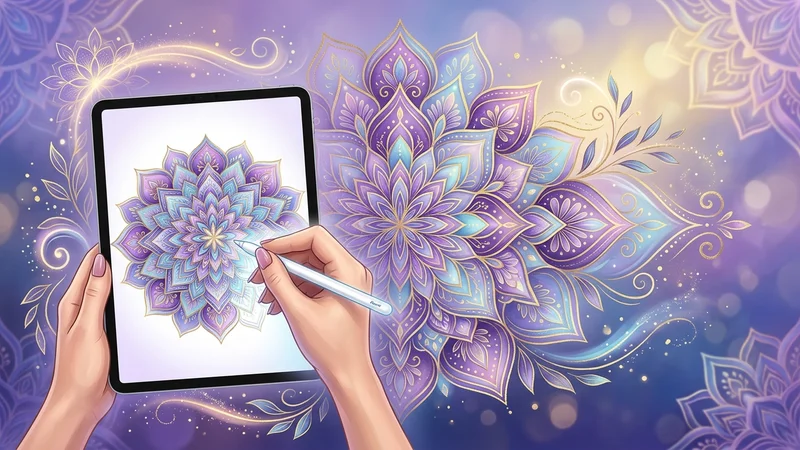
Coloring is no longer confined to colored pencils and stacks of paper piling up on your desk. For a few years now, a true creative revolution has been taking place in the world of hobbies: digital mandala coloring. If you thought this meditative practice was reserved for traditional tools, get ready to change your perspective. Moving from paper to screen offers unprecedented artistic freedom, allowing everyone to express their creativity without limits, anywhere and at any time.
Whether you are a long-time fan of art therapy or a curious newcomer looking to explore new technologies, this transition to digital promises intense relaxation sessions and stunning visual results. In this article, we will explore together how to turn your tablet into a true mobile artist's studio.
Why Swap Your Pencils for a Stylus for Your Mandalas?
The shift to digital mandala coloring isn't just about modernity; it's a genuine optimization of your creative experience. While the joy of paper remains undeniable, digital tools provide concrete solutions to the daily constraints of traditional coloring.
Total Freedom Through Portability
One of the major advantages of tablet coloring is its absolute portability. No more carrying a case of 50 pencils, markers that dry out, or erasers that get lost. Your entire library of mandalas now fits into a single device. Whether you are on the train, in a waiting room, or comfortably settled on your couch, your creative space is always within reach.
Infinite Colors Without the Clutter
With digital coloring for adults, the color palette is virtually limitless. You are no longer restricted by the number of pencils you own. You can test complex gradients, metallic textures, or light effects in just a few clicks. It is the ideal tool for perfectionists who wish to explore subtle shades without having to invest in expensive supplies.
Digital coloring allows you to test bold color combinations without the fear of irreversible mistakes: the "Undo" button is your best ally in daring to be creative.
The Ideal Equipment to Enhance Your Digital Creations
To get started with peace of mind, there is no need to be a professional digital illustrator. A few key elements are enough to transform your tablet coloring experience into a pure moment of pleasure.
Choosing Your Tablet and Stylus
The quality of your experience will largely depend on the precision of your equipment:
- iPad and Apple Pencil: The absolute benchmark for comfort and fluidity. The near-zero latency makes coloring feel very natural.
- Android Tablets (Samsung Galaxy Tab S series): Excellent alternatives featuring the S-Pen, which is highly precise and often included in the tablet's price.
- Graphics Tablets with Screens: For those who already own a powerful computer, brands like Wacom or Huion offer an expanded workspace.
Must-Have Applications
The choice of software is crucial for your comfort:
- Procreate: The undisputed gold standard for Procreate mandalas. Its layer management tools and brush library are unmatched for working with textures.
- Infinite Painter: An excellent and highly intuitive alternative, perfect for those who enjoy customizable settings.
- Happy Color: Ideal if you prefer a "paint-by-number" approach without having to manage layers, perfect for immediate relaxation.
Practical Guide: Mastering Tablet Mandala Coloring Like a Pro
Once your gear is ready, it's time to practice. Digital mandala coloring relies on one key technique: the use of layers. This is what truly differentiates digital from paper.
Importing and Preparing Your Mandala
Most applications allow you to import image files (JPEG or PNG). For the best results, opt for high-resolution images. Once imported, place your mandala on the top layer and lock it. Then, create a new layer underneath to apply your colors. This way, you never risk coloring over the black lines of the original pattern.
Using Layers for Perfect Coloring
The magic of digital lies in layering:
- Layer 1 (Line Art): Your black mandala.
- Layer 2 (Colors): Apply your flat colors here.
- Layer 3 (Shadows and Highlights): Use an "airbrush" tool with reduced opacity to add depth to your colored areas.
Don't forget to use the "Clipping Mask" tool in Procreate. This allows you to color only within the defined areas, without ever going over the lines, even if your hand is unsteady.
Unleash Your Creativity Today
Switching to tablet coloring is a rewarding adventure that opens unexpected doors for your creative mind. By freeing yourself from physical constraints, you discover a more fluid and soothing way to practice coloring. Whether you are seeking relaxation after a long day or wishing to explore new artistic techniques, digital is a precious ally.
Are you ready to take the plunge? Don't wait any longer to transform your tablet into a true art studio. We invite you to browse our exclusive collection of mandala designs, specially created to be imported and enhanced on your favorite apps. Download your first pattern, grab your stylus, and let your imagination vibrate to the rhythm of your colors!